
Calculators › NQ Replay: practice Nasdaq futures, tick by tick, on your Mac
NQ Replay: practice Nasdaq futures, tick by tick, on your Mac
Replay a past NQ session at the speed you choose, place orders as the tape unfolds, and review every trade afterwards. Simulation only. No market data included.
Free 7-day trial
Request a free 7-day trial Check the requirements first ↓
- Email [email protected] (the button fills in the subject and a short template).
- Or message @lucas3814 on Telegram with the same details.
Free 7-day trial for Apple Silicon Macs. No payment details and nothing to cancel. You need your own licensed NQ tick data in a supported format. Please check the requirements before you request a trial, or the 7 days may run out before you can replay a session.
What it does
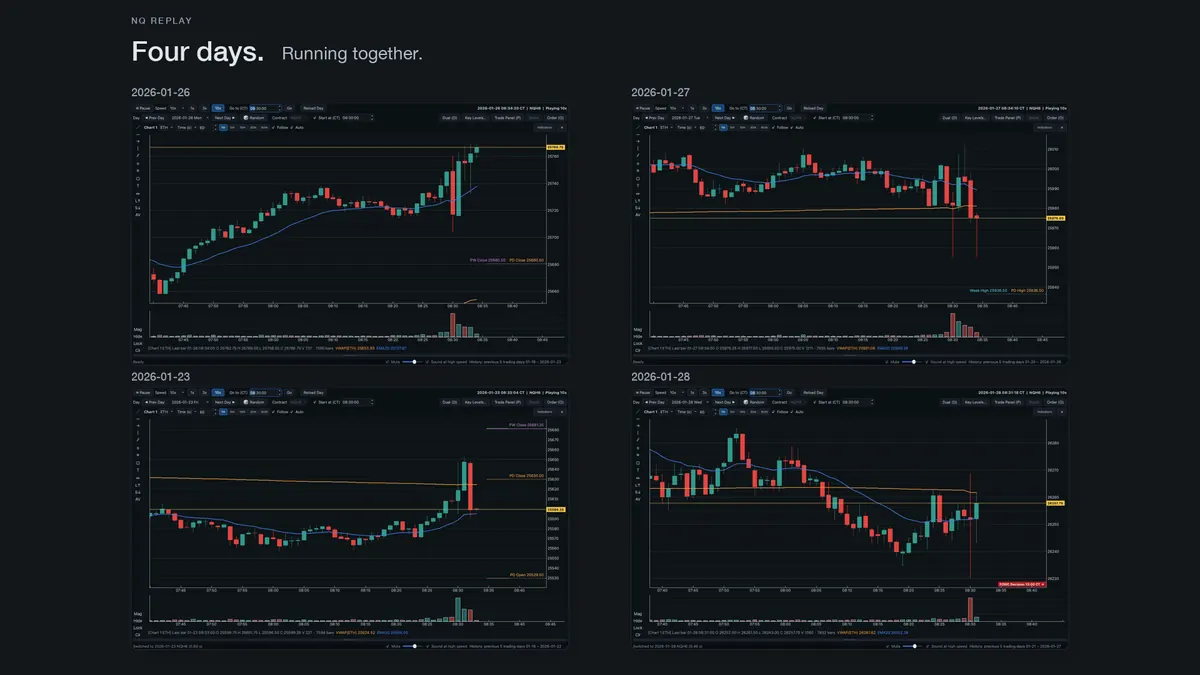
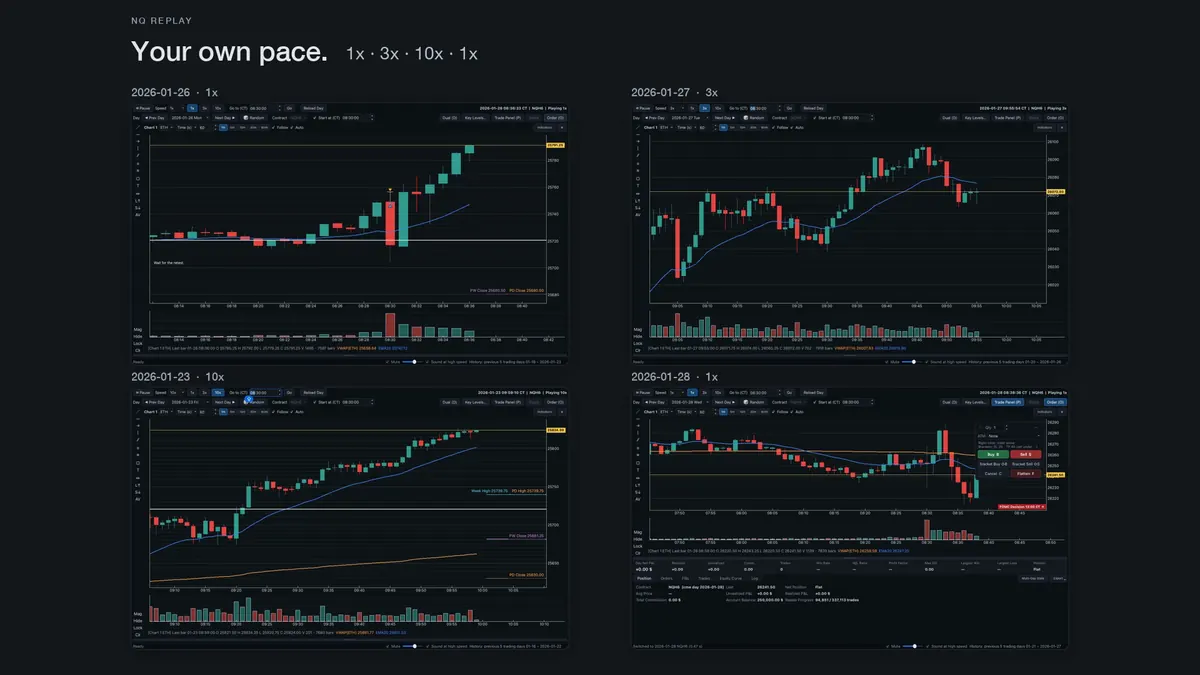
- Tick-by-tick replay at 1x, 3x, 10x, 60x or 300x. Pause, step, or jump forward to the open, a news time, or any clock time. There's no rewinding, just like a live session.
- Real order workflow. Market, limit and stop orders, bracket orders, right-click trading on the chart, and orders you can drag to a new price.
- ATM templates. Stop loss, up to three targets, automatic breakeven and trailing stop, applied the moment you're filled.
- Prop-style evaluation mode. Daily loss limit, trailing max loss, profit target and consistency rule, with presets modeled on Lucid, Topstep and FTMO public rules. Each day counts once, and an “Unplayed” picker helps you pick a day you haven't played yet.
- News awareness. FOMC, CPI, NFP and PCE times show as red lines on the chart. The built-in calendar currently runs to 30 September 2026; later days show no news lines until it is updated, which doesn't mean there were no events.
- Review, not just replay. Per-trade MAE/MFE, multi-day statistics and CSV export of your trades.
- Up to 6 windows, each with its own sim account. English and Chinese UI.
Built for practicing a prop evaluation, without paying for one
An evaluation can be failed on the rules as easily as on the setup: a daily loss breach, a trailing drawdown that moved up faster than expected, or one oversized day. NQ Replay applies the rules while you trade, so you feel where the limit is before real money (or a reset fee) is involved.
Check your numbers with our calculators:
- Prop firm challenge calculator: how much room is left
- Trailing drawdown calculator and What is trailing drawdown?
- Daily loss limit calculator and Consistency rule calculator
- Prop firm rules dataset: published rules with review dates
- NAS100 / NQ point value on our sister site PipGauge: NQ is $20 per point, MNQ $2
Trade forex or index CFDs rather than futures? Our sister site has a note on what NQ Replay can and can't do for CFD traders.
After the session: review your trades
Use Export → all trade history (right of the trade panel tabs) to save your full trade history as a CSV, one row per closed trade, then open it in the Trade Journal Analyzer. If the net P&L column isn't detected automatically, pick it from the column list. Then check your edge with the expectancy calculator and losing-streak calculator. A good replay day proves very little. A hundred reviewed trades tell you more.
How the free trial works
- Request a trial. Use the button above (or Telegram, if listed). Tell us your Mac model, macOS version, and whether you already have NQ tick data.
- Get the download. We reply with a private download link, its SHA-256 checksum and first-launch instructions. There's no public download.
- Send your machine code. Open NQ Replay, choose Help → Activation…, and reply with the machine code it shows.
- Activate. We send a trial code for that Mac. It works offline and expires after 7 days, counting the day it's issued. The message tells you the exact end date.
- When it ends, the app shows “The activation code has expired”. Nothing is charged, and there's nothing to cancel. If setup or data problems ate into your trial, reply to the same thread.
One trial per Mac. Trial codes only work on the Mac they were issued for. The trial isn't meant to be extended by changing the system clock: the app is designed to stop if the date moves more than two days backwards.
Requirements. Please read before you request a trial.
| Computer | Apple Silicon Mac (M1 or later). There is no Intel or Windows version. |
|---|---|
| macOS | Tested on macOS 26.5. Other versions are untested. |
| Data | Not included. You need your own licensed NQ tick-by-tick trade data, as one Parquet file per day named YYYYMMDD.parquet in NQ Replay's column layout. Other formats, including CSV and raw Databento files, can't be loaded directly. We send the format notes with the download. |
| Install | The app is not notarized by Apple and has no Apple Developer ID signature. The first time, right-click the app in Applications and choose Open, then confirm. If macOS offers no Open button, go to System Settings → Privacy & Security and click Open Anyway. |
| Activation | One trial code per Mac, sent after you send your machine code. Valid 7 days (including the day it's issued), checked offline. |
Honest limitations
- Limit orders fill optimistically. A limit order fills when price trades at your level. Queue position isn't modeled, so real fills can be worse.
- No margin checks and no broker-side rejections.
- Contract months are inferred from the data.
- Replay only moves forward. You can't go back to retake a trade.
- Commissions are set to $2.25 per side by default. Your broker's fees may differ.
- It's a practice tool. It doesn't connect to any broker and can't place real orders.
FAQ
Is this a trading signal service or a strategy?
No. It's a simulator. It doesn't tell you what to trade, and practice results don't predict live results.
Why isn't market data included?
Exchange data for CME futures is licensed. We can't redistribute it, so you bring your own licensed data and it stays on your Mac.
Where can I get NQ tick data?
From a market data vendor licensed for your use. Make sure your license allows personal use on your own computer. We aren't affiliated with any data vendor.
Why does macOS warn me when I open it?
NQ Replay isn't notarized by Apple, so Gatekeeper asks you to confirm the first time (right-click → Open, or System Settings → Privacy & Security → Open Anyway). Only use the download link we email you, and check the file against the SHA-256 checksum in the same email.
Does it work on Intel Macs or Windows?
No. NQ Replay runs only on Apple Silicon Macs; there is no Intel or Windows version.
Are the prop firm presets official?
No. They're modeled on each firm's published rules at the time we built them. We aren't affiliated with Lucid, Topstep or FTMO. Rules change, so always check the firm's own site.
Does it show order book / DOM / Level 2?
No. It replays trades (time and sales), not the order book.
How much does the trial cost?
Nothing. The 7-day trial needs no card or payment details, and it doesn't turn into a subscription. When the code expires, the app stops at the activation window and asks for a new code.
Can I get a trial if I don't have data yet?
You can ask, but the trial is only useful once your data is ready. Tell us in your request, and we'll send the format notes first and issue the code when you're ready, so the 7 days don't run out unused.
Why do you need my machine code?
The trial code is tied to the Mac it was issued for and is designed to work only there. The machine code is a salted hash of your Mac's hardware ID. It is used only to bind the trial to this Mac and contains no name, email or other account details.
What do you do with my data?
Your market data, trades and journals are stored as files on your Mac. The app doesn't check for updates, doesn't upload any data, and activation is completed offline. Your trial request (your address, your answers and your machine code) is used only to issue and support your trial (see the Privacy Policy).
Disclaimer
NQ Replay is educational simulation software. It doesn't provide investment advice or trading signals and doesn't connect to any broker. Futures trading involves substantial risk of loss and isn't suitable for every investor. Simulated or hypothetical results have inherent limitations: they don't represent actual trading and can't fully account for liquidity, slippage, queue position or the emotional impact of real money. No representation is made that any account will or is likely to achieve results similar to those shown. NQ Replay is our own product, made by the person behind PositionMath; we earn no affiliate commission from it. It is not affiliated with CME Group, Nasdaq, or any proprietary trading firm. “Nasdaq-100” and related marks belong to their respective owners. See also our Risk Disclosure.
Newsletter
Get the weekly position-sizing playbook
One email a week: macro & US markets, gold, futures & crypto — plus prop-firm rules, risk math and new calculators. No spam, unsubscribe anytime.